A warm phone is normal. A hot phone is a warning.
If your phone feels uncomfortably hot to the touch, slows down during basic tasks, drains its battery at an unusual rate, or shuts itself off without warning — something is wrong. The good news is that in the vast majority of cases, the cause is identifiable and the fix is straightforward. You do not need a technician. You need to know what to look for.
This guide covers every real reason a phone overheats, the fix for each one, and the signs that tell you when the problem has moved beyond a simple software fix into hardware territory.
Check out More at Peakmindspaths
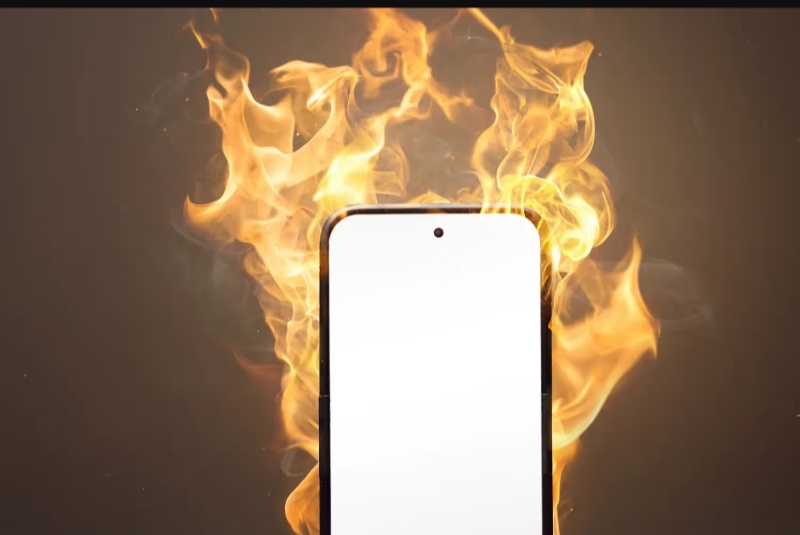 What Is Normal Heat vs. What Is a Problem?
Before troubleshooting, it helps to understand what is actually normal.
Your phone’s processor, battery, and screen all generate heat during use. A phone that feels slightly warm after 30 minutes of video streaming, gaming, or GPS navigation is behaving normally. That is the phone working hard — not a fault.
A phone that becomes uncomfortable to hold, shows a temperature warning on screen, throttles its performance noticeably, or gets hot while sitting idle on a table is experiencing abnormal overheating. That is what this guide addresses.
The threshold that matters: if your phone is too hot to hold comfortably against your face for a call, or if it triggers a “temperature too high” warning on screen, treat that as a serious signal.
The 9 Real Causes of Phone Overheating — and How to Fix Each One
1. Too Many Apps Running in the Background
What is happening: Every app running in the background — even ones you are not actively using — consumes processor power and RAM. When multiple apps compete for resources simultaneously, your processor works harder, generates more heat, and drains your battery faster.
This is one of the most common causes of overheating on Android phones specifically, where background app behaviour is less tightly controlled than on iOS.
How to fix it:
Open your recent apps view (the square or gesture button on Android, or swipe up and hold on iPhone). Swipe away every app you are not actively using. On Android, you can also go to Settings → Battery → Battery Usage to see which apps are consuming the most power in the background and restrict them individually.
For a longer-term fix on Android: Settings → Apps → select an app → Battery → choose “Restricted” to prevent it running in the background when you are not using it.
2. Heavy Apps and Extended Gaming Sessions
What is happening: Games, video editors, augmented reality apps, and high-resolution video streaming push your phone’s GPU and processor to their limits. Sustained heavy load generates sustained heat. This is normal up to a point — but extended sessions without breaks can push your phone beyond safe operating temperature.
How to fix it:
Take breaks every 30–45 minutes during gaming or heavy app use. If you notice your phone getting hot, close the app, lock the screen, and give it 5–10 minutes to cool before continuing.
Lower the graphics settings within games if an option exists. Reduce your screen brightness before gaming — the display is one of the biggest heat generators on any smartphone.
If your phone consistently overheats during gaming even at moderate settings, the issue may be that your device’s processor is not adequately cooled for that level of demand. Consider a phone cooler attachment, or accept that your current device has a thermal ceiling for heavy gaming.
3. Charging While Using the Phone
What is happening: Charging and active use are both energy-intensive processes. Running both simultaneously forces your battery to charge and discharge at the same time, creating significantly more heat than either activity alone. Fast charging amplifies this further — fast charging already generates more heat than standard charging, and using the phone on top of that compounds it.
How to fix it:
The simplest fix: put your phone down while it charges. If you must use it while charging, remove the case (which traps heat), reduce screen brightness, and avoid intensive apps.
If your phone gets noticeably hot while charging even when you are not using it, that is a separate issue — see the battery and charger sections below.
4. Poor Network Signal
What is happening: When your phone struggles to find or maintain a mobile signal, its radio antenna works continuously at maximum power trying to connect. This is a silent but significant source of heat — your phone can get warm from signal searching even when the screen is off.
This is particularly common in areas with weak coverage, inside buildings with thick walls, or when your SIM card is old and degraded.
How to fix it:
If you are in a known low-signal area: enable Airplane Mode temporarily (which stops the signal search entirely), then disable it again when you move to an area with better coverage.
Go to Settings → Network → and switch your network type from 5G or 4G/LTE to 3G if you are in an area where 5G or 4G signals are weak. A stable lower-speed connection generates less heat than a phone constantly hunting for a stronger signal.
If the issue persists in areas that should have good coverage, contact your network provider — you may have a SIM card issue.
5. Direct Sunlight and Hot Environments
What is happening: Smartphones are designed to operate between approximately 0°C and 35°C (32°F to 95°F). Direct sunlight — especially on a dark-coloured phone case — can push surface temperatures well above this range within minutes. A phone left in a car on a warm day can reach temperatures that permanently damage the battery.
How to fix it:
Never leave your phone in direct sunlight, on a car dashboard, or in a hot car. When outdoors in hot weather, keep your phone in a bag, pocket, or shaded location rather than on a table in the sun.
If your phone has already overheated from environmental heat: turn it off, move it to a cool shaded location, and allow it to cool down before turning it back on. Do not put it in a freezer or hold it under cold water — rapid temperature change can cause condensation damage inside the device.
6. Faulty or Non-Original Charger
What is happening: Cheap, counterfeit, or damaged charging cables and adapters do not regulate voltage and current properly. Irregular power delivery causes your battery to work harder during charging, generating excess heat. In serious cases, a faulty charger can damage the battery permanently or create a safety risk.
How to fix it:
Use the original charger that came with your phone, or a certified replacement from a reputable brand (Anker, Belkin, or direct from your phone manufacturer). Avoid market cables that do not carry MFi (for Apple) or USB-IF certification.
Check your current cable for physical damage — fraying, kinks, or loose connectors are signs that it needs replacing.
If your phone gets hot specifically at the point where the cable connects, the issue is almost certainly the charger or cable, not the phone itself.
7. Phone Case Trapping Heat
What is happening: Many phone cases — particularly thick silicone or rubber cases — act as insulators. While they protect against drops, they also prevent heat from dissipating naturally from the back of the phone. During charging or heavy use, a case that traps heat can raise your phone’s temperature by several degrees above what it would reach without the case.
How to fix it:
Remove your phone case when charging, especially if you use fast charging. If your phone regularly overheats during use, try using it without the case for a session and note whether the temperature difference is significant.
If you want to keep using a case, look for cases made from materials designed to dissipate heat — aluminium-backed cases or cases with ventilation channels are more heat-friendly than solid silicone.
8. Outdated Software and Buggy Apps
What is happening: Software bugs can cause apps or system processes to run in a loop, consuming processor power continuously without doing any useful work. This is sometimes called a “runaway process” and it can cause your phone to get hot and drain its battery rapidly even when you are not actively using it.
Outdated versions of apps are more likely to have bugs that have since been fixed in updates.
How to fix it:
Update your apps regularly via the Play Store or App Store. Enable automatic updates if you prefer not to manage this manually.
Update your phone’s operating system: Settings → Software Update → Check for Updates. Manufacturers release software updates partly to fix bugs that affect battery and thermal performance.
If your phone is hot and battery is draining even when idle and you cannot identify a cause, check Settings → Battery → Battery Usage. Look for any app consuming an unusually high percentage of battery in the background. If you find one, force-stop it and check if it has an update available.
9. Old or Degraded Battery
What is happening: Lithium-ion batteries degrade with use. After 18–36 months of regular charging, most smartphone batteries have lost a meaningful percentage of their original capacity. A degraded battery works harder to deliver the same power output, generates more heat in the process, and is less able to handle peak demand from intensive apps.
If your phone is more than two years old and has started overheating regularly, battery degradation is likely a contributing factor.
How to fix it:
Check your battery health: On iPhone, go to Settings → Battery → Battery Health. A health reading below 80% indicates significant degradation and a battery replacement is worth considering.
On Android, battery health diagnostics vary by manufacturer. Samsung users can check via the Samsung Members app. For other Android phones, a third-party app like AccuBattery provides reliable health estimates.
A battery replacement from an authorised service centre typically costs £30–£80 depending on the phone model and is usually the most cost-effective fix for a phone that overheats regularly but is otherwise working well.
When Overheating Is a Serious Warning Sign
The situations above are all fixable. There are also scenarios where overheating signals a hardware problem that requires professional attention.
Take your phone to a technician if:
- It gets hot even when completely idle with no apps running and no charging
- It shuts down frequently due to heat, even during light use
- The battery drains from 100% to empty in under three hours with normal use
- You notice the back of the phone bulging slightly — this indicates a swollen battery, which is a safety hazard and should be addressed immediately
- The phone gets hot in one specific spot that is not near the processor or charging port
A swollen battery in particular should not be ignored. Do not attempt to remove it yourself. Take the device to a qualified technician.
Quick Prevention Checklist
Keep these habits and your phone will run cooler and last longer:
- ✅ Close background apps after use
- ✅ Take breaks during gaming and heavy app sessions
- ✅ Use original or certified chargers only
- ✅ Remove your case when fast charging
- ✅ Keep your phone out of direct sunlight
- ✅ Update apps and operating system regularly
- ✅ Check battery health annually after the first year
Most phone overheating is caused by one of the nine issues above — and most are fixed in minutes. Work through the list from the most likely cause for your situation. If the problem persists after addressing the obvious culprits, battery health is almost always the next thing to investigate on a phone that is more than two years old.
Last updated: April 22 2026
RELATED
Why Whatsapp isn’t sending Messages (And how to fix it)
Phone Storage Full? Here’s How to Free Up Space Fast (Without Deleting Your Photos)